Notepad++ plugin
YAML reindent / tidy
YAML is indentation-sensitive, and that's exactly where things go wrong: a tab that slips in between the spaces, or three colleagues each using their own indent step. Reindent / tidy (Ctrl+Alt+Y) normalizes the whole file in one keystroke, without changing the document's meaning.
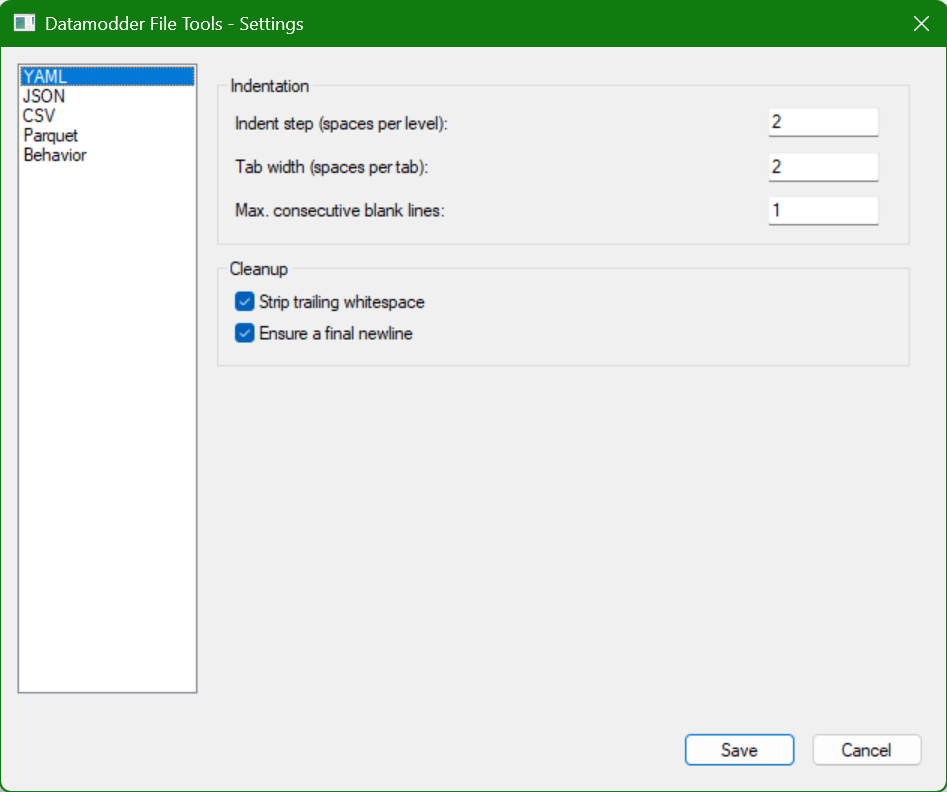
What exactly gets normalized
Four things, all configurable on the YAML tab: tabs become spaces, every level gets a consistent indent step, there are never more than the configured number of consecutive blank lines, and trailing whitespace at the end of every line disappears. Optionally the file ends with exactly one newline.
Before
app:
	name: orders-service
    settings:
		retries: 3
      timeout: 30


env: production
After
app:
  name: orders-service
  settings:
    retries: 3
    timeout: 30

env: production
What never gets touched
Block scalars (| and >, including their chomping indicators like |- or >+), text inside quotes, and flow collections you've already neatly spread across multiple lines stay exactly as they were. The tidy function normalizes structure, not content.
Before
message: |
    Regel 1 met   opzet extra spaties.
      Regel 2 dieper ingesprongen.
tags: [one,   two,
       three]
After
message: |
    Regel 1 met   opzet extra spaties.
      Regel 2 dieper ingesprongen.
tags: [one,   two,
       three]
Frequently asked questions
Does this also check whether my YAML is valid?
Reindent / tidy is a formatting function, not a validator. For an explicit check, use Plugins → Datamodder File Tools → YAML → Validate, which uses libyaml to report whether the document is valid and, if not, where it goes wrong.
What happens to tabs inside a quoted string?
Those are left alone — only tabs used for the YAML structure itself (indentation) are replaced with spaces.